After you create a fundraising page, you can post updates to keep your donors engaged with your progress. Learn how to post updates to your fundraising page.
Open your editor
To open your editor, visit your fundraising page, sign in, and then click the MANAGE button. It will be at the top-right of the screen on a desktop or laptop.
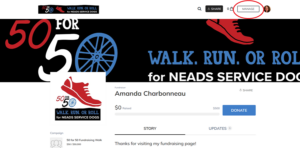
Post updates
Once your editor opens, select the STORY tab
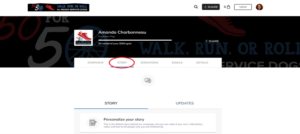
Now select UPDATES.
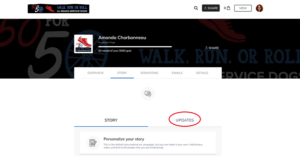
From here, you can use the CREATE NEW button to post a new update.
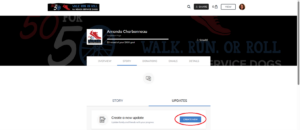
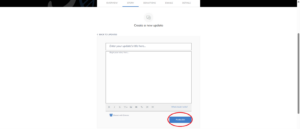
Now you can go ahead and write your message in the text block that appears. To add images, videos, and links use the icons at the bottom of the text block. Tip – if you hover over each icon it will tell you what it does.

Select PUBLISH to post your update. Once it’s posted, it will appear on your fundraising page and be shared with your donors over email.
Select the VIEW button at the top of your screen to see your update.

Edit or delete an update
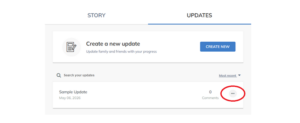
To edit or delete an update, open your editor and select Story > Updates. Click the three dots on the post to edit or delete the update.
FAQ
When should I post updates?
We recommend posting updates at least once every other week to keep people engaged with your fundraiser. You can share progress toward your goal -miles walked or money raised. You can also share information about NEADS.
Who will see my updates?
Updates are automatically emailed to everyone who has made a donation through your page. This is a great way to bring in additional donations. They are also visible to the public so anytime someone views your page, they can look at your updates.